
Office Tool Plus 11.6.6.0
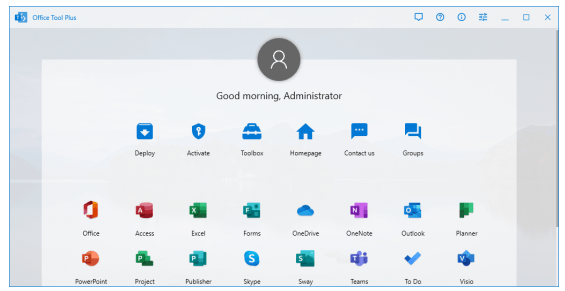
📊 Office Tool Plus 11.6.6.0 – Microsoft Office Deployment & Management Utility
Office Tool Plus 11.6.6.0 is a Windows utility designed to help users manage Microsoft Office installations and configuration. It provides a centralized interface for deploying Office products, managing installation settings, configuring updates, and handling supported Office components.
⭐ Key Features
- ✔ Deploy supported Microsoft Office products
- ✔ Configure Office installation settings
- ✔ Manage Office product editions and components
- ✔ Help customize Office deployment configurations
- ✔ Manage supported Office updates
- ✔ Configure installation channels and languages
- ✔ Provide tools for Office installation management
- ✔ Help remove or modify supported Office components
- ✔ Provide a centralized interface for Office configuration
- ✔ Suitable for Office deployment, maintenance, and management tasks
📌 File Information
Software: Office Tool Plus 11.6.6.0.zip
File Size: 10.2 MB
Format: ZIP Archive
Category: Office Tools / Deployment / System Utilities
Platform: Windows
📖 About Office Tool Plus 11.6.6.0
Office Tool Plus 11.6.6.0 is an Office deployment and management utility focused on simplifying the installation and configuration of Microsoft Office products. It provides access to various deployment options from a centralized interface instead of requiring users to manage every configuration manually.
The software can be useful for users who need to install Office components, select supported products and languages, configure deployment options, or manage Office updates. It can also assist with maintaining an existing Office installation through supported configuration and management functions.
Office Tool Plus is suitable for home users, IT professionals, and administrators who need a convenient utility for managing Microsoft Office installations and deployment settings on Windows.
📊 Why Use Office Tool Plus?
Managing Microsoft Office installations can involve multiple configuration options and deployment settings. Office Tool Plus provides a centralized interface that can simplify these tasks and give users greater control over supported Office installation configurations.
Its combination of deployment tools, product selection, language configuration, update management, and Office maintenance features makes it useful for both individual users and administrators handling Office installations.