
Rename Master 4.05 Portable
📝 Rename Master 4.05 Portable Download – Batch File Renaming & File Management Tool
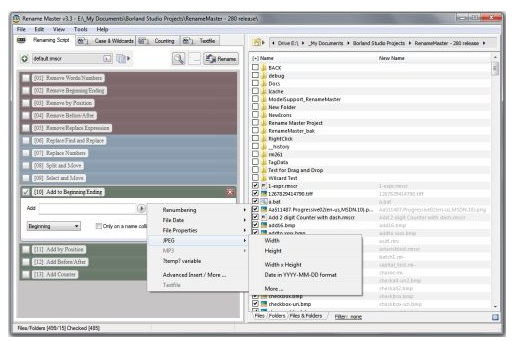
Rename Master 4.05 is a Windows utility designed to rename multiple files and folders efficiently. It provides a range of options for modifying filenames, making it useful for organizing large collections of documents, images, music, videos, and other files.
⭐ Key Features
- ✔ Rename multiple files at the same time
- ✔ Add prefixes or suffixes to filenames
- ✔ Replace specific text in file names
- ✔ Remove unwanted characters from filenames
- ✔ Add sequential numbers to files
- ✔ Change filename capitalization
- ✔ Use advanced search and replacement rules
- ✔ Preview filename changes before applying them
- ✔ Rename files using available file information
- ✔ Process files located in multiple folders
📌 File Information
Software: Rename Master 4.05 Portable
File Size: 2.12 MB
Format: RAR Archive
Category: File Management / Batch Renaming / System Utilities
Platform: Windows
📖 About Rename Master 4.05
Rename Master 4.05 is a file renaming application designed to simplify the process of changing filenames in large batches. Instead of manually renaming files one by one, users can define specific rules and apply them to multiple files simultaneously.
The software can be useful for organizing photographs, music collections, videos, documents, downloaded files, and other groups of files that require consistent naming. Users can add, remove, replace, or modify different parts of filenames according to their requirements.
Rename Master also provides a preview-based workflow, allowing users to review the proposed filename changes before applying them to their files.
📊 Why Use Rename Master?
Managing a large collection of files can become difficult when filenames are inconsistent or poorly organized. Rename Master provides batch renaming tools that can save time and make large file collections easier to organize.
Its combination of filename editing, numbering, search and replacement, and batch processing features makes it useful for users who regularly need to rename and organize large numbers of files.