
FanControl v282 Portable
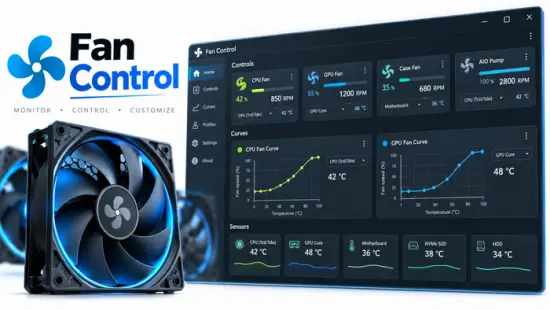
🌡️ FanControl v282 Portable – PC Fan Speed & Temperature Management Utility
FanControl v282 Portable is a Windows utility designed to monitor system temperatures and control PC fan speeds. It provides tools for managing cooling components and creating customized fan-control settings based on hardware temperatures.
🌡️ Temperature Monitoring
The application monitors available hardware temperature sensors, allowing users to keep track of CPU, GPU, and other system component temperatures.
🔥 Fan Speed Control
FanControl v282 allows users to adjust compatible fan speeds and manage cooling performance according to their system requirements.
⚙️ Custom Fan Curves
Users can configure fan curves to automatically adjust fan speeds based on temperature changes, providing more control over system cooling.
📊 Hardware Sensors
The utility can display available sensor information from supported hardware, helping users monitor temperature and fan-related data from one interface.
📈 Real-Time Monitoring
FanControl provides real-time information about supported temperatures, fan speeds, and other available hardware monitoring values.
🎲 Fan Profiles
Users can configure different fan-control settings and profiles to suit various workloads and cooling requirements.
🔄 Automatic Fan Management
The software can automatically regulate compatible fan speeds according to configured temperature-based control rules.
💻 Windows Cooling Utility
FanControl v282 Portable provides temperature monitoring, fan speed control, sensor information, fan curves, and cooling management features for compatible Windows systems.
🔧 Centralized Fan Control Tool
The application brings together hardware monitoring, temperature tracking, fan control, and customizable cooling profiles in one workspace for managing PC cooling.
📌 File Information
Software: FanControl v282 Portable.rar
File Size: 10.6 MB
Format: RAR Archive
Category: System Utilities / Hardware Monitoring / Fan Control
Platform: Windows