
AOMEI Partition Assistant 10.12.1 Pro / Server / Technician / Unlimited – Repack
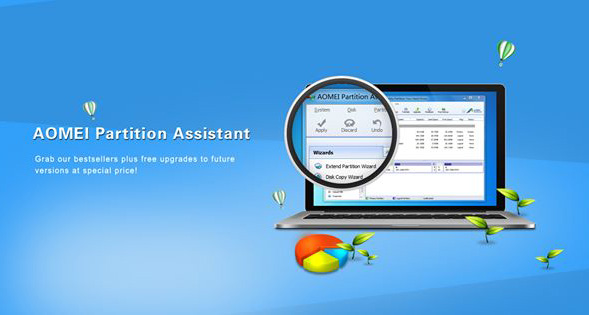
🔧 AOMEI Partition Assistant 10.12.1 Pro | Server | Technician | Unlimited – Disk & Partition Management Tool
AOMEI Partition Assistant 10.12.1 is a powerful Windows utility for managing hard drives, SSDs, and disk partitions. It provides tools for resizing, merging, splitting, copying, cloning, and reorganizing partitions while offering additional features for system migration, data recovery, and storage maintenance.
The package includes multilingual editions for Professional, Server, Technician, and Unlimited environments, making it suitable for individual PC users as well as administrators and technical professionals working with multiple systems.
⭐ Key Features
- ✔ Expand supported NTFS system partitions
- ✔ Merge adjacent partitions without manually moving files
- ✔ Combine unallocated space with existing partitions
- ✔ Split large partitions into multiple sections
- ✔ Create and manage multiple disk partitions
- ✔ Copy partitions for system migration or backup purposes
- ✔ Clone hard drives when upgrading storage
- ✔ Redistribute available space between partitions
- ✔ Manage HDDs, SSDs, and other supported storage devices
- ✔ Recover supported lost or deleted data
- ✔ Create bootable Windows PE media
📌 File Information
Software: AOMEI Partition Assistant 10.12.1 Repack by Diakov.zip
File Size: 82.29 MB
Format: ZIP Archive
Category: Disk Management / Partition Manager / System Utilities
Platform: Windows
Languages: Multilingual
📖 About AOMEI Partition Assistant 10.12.1
AOMEI Partition Assistant provides a centralized environment for handling common and advanced disk-management tasks. It can be used to reorganize storage layouts, make better use of unused disk space, prepare replacement drives, and move supported Windows installations between storage devices.
Its partition tools allow users to resize, merge, split, copy, and clone supported partitions. These functions can be especially useful when upgrading a computer’s storage, reorganizing an existing disk, or preparing a new SSD for use.
The software also includes recovery and bootable-media functionality, extending its usefulness beyond basic partition management. The different editions are designed for PC users, server environments, technicians, and organizations managing multiple systems.
📊 RePack Features
- Type: Installation
- Languages: Multilingual
- Cut: None
- Activation: Completed
🔧 Command Line Switches
The package supports the following installation switches:
- /S /PRO – Silent installation of Professional edition
- /S /TECH – Silent installation of Technician edition
- /S /SER – Silent installation of Server edition
- /S /UNLIM – Silent installation of Unlimited edition
The installation directory can also be specified by adding /D=%path% after the required switches.
🗃 Storage Management & System Migration
AOMEI Partition Assistant can be useful when moving to a larger hard drive or SSD. Disk-cloning and partition-copying features provide options for transferring existing data or supported Windows installations to new storage while maintaining an organized disk layout.
For users who frequently work with multiple computers, the Technician and Unlimited editions provide additional options suited to professional storage-management and maintenance workflows.
⚠ Important Note
Partitioning, cloning, recovery, and disk-conversion operations can affect stored data if performed incorrectly. Always verify the selected disk and partition before applying changes and maintain a reliable backup of important files.