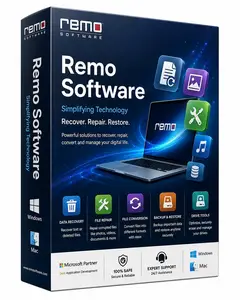
Remo Recover Windows 6.1.0.3 Portable

💾 Remo Recover Windows 6.1.0.3 Portable – Data Recovery & File Restoration Tool
Remo Recover Windows 6.1.0.3 Portable is presented as a Windows data-recovery utility designed to help users search for and recover supported files from storage devices affected by accidental deletion, formatting, partition issues, or other data-loss situations.
⭐ Key Features
- ✔ Scan supported drives and storage devices for recoverable files
- ✔ Help recover accidentally deleted files
- ✔ Assist with data recovery from formatted or affected partitions
- ✔ Preview supported recoverable files before restoration
- ✔ Provide a centralized workspace for data-recovery tasks
📌 File Information
Software: Remo Recover Windows 6.1.0.3 Portable.rar
File Size: 172.5 MB
Format: RAR Archive
Category: Data Recovery / File Restoration / Disk Utilities
Platform: Windows
📊 About Remo Recover
Remo Recover is designed to help users locate and restore supported files that have become inaccessible or were accidentally removed. Recovery results depend on the storage device, file system, type of data loss, and whether the original data has been overwritten.
🔍 Data Recovery
Users can scan compatible storage devices to search for deleted or otherwise inaccessible files. Depending on the situation, the software may help recover documents, photos, videos, archives, and other supported file types.
💾 File Restoration
Detected files can be reviewed before recovery when preview functionality is available. Recovered data should preferably be saved to a different storage device to reduce the possibility of overwriting additional recoverable information.
📊 Partition Recovery
The utility can assist with certain partition-related data-loss situations, including files affected by formatting or partition problems. Success is not guaranteed, particularly when a drive has suffered physical damage or extensive data overwriting.
⚠ Recovery Precautions
When important data is lost, avoid unnecessary writing to the affected drive until recovery has been attempted. Creating new files or installing software onto the same storage device can reduce the chances of successful recovery.
💻 Portable Recovery Utility
The portable package can provide access to the included recovery tools without a conventional installation process. For critically important data or physically failing storage devices, professional data-recovery services may be more appropriate.