
Glary Registry Repair v6.0.1.21 Portable
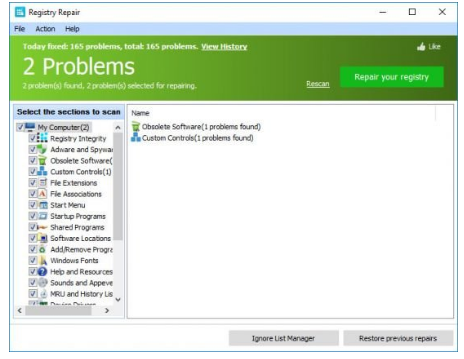
📝 Glary Registry Repair v6.0.1.21 Portable – Windows Registry Repair and Optimization Utility
Glary Registry Repair v6.0.1.21 Portable is a Windows system utility designed to scan the Windows Registry for invalid, obsolete, or problematic entries. It provides tools for identifying registry-related issues and organizing supported registry data as part of a broader system maintenance workflow.
⭐ Key Features
- ✔ Scan the Windows Registry for potential problems
- ✔ Identify invalid or obsolete registry entries
- ✔ Help clean up selected registry data
- ✔ Provide registry backup and maintenance options
- ✔ Assist with general Windows system maintenance
📌 File Information
Software: Glary Registry Repair v6.0.1.21 Portable.rar
File Size: 8.5 MB
Format: RAR Archive
Category: Registry Repair / System Maintenance / Windows Utilities
Platform: Windows
📖 About Glary Registry Repair v6.0.1.21
Glary Registry Repair is intended for users who want to examine and maintain the Windows Registry. The utility can scan registry locations for entries that may no longer be valid or necessary and provide options for managing detected items.
🔍 Registry Scanning
The software can scan supported areas of the Windows Registry and identify entries that may be associated with missing files, outdated configurations, invalid paths, or other registry-related inconsistencies.
📝 Registry Cleanup
After a scan, users can review detected registry items and choose which supported entries to address. Careful review is recommended because registry modifications can affect Windows and installed applications.
💾 Registry Backup
Creating a backup or restore point before making significant registry changes is recommended. Keeping a recovery option available makes it easier to reverse unwanted changes if a modification causes unexpected system behavior.
⚙ Windows Maintenance
Glary Registry Repair can be incorporated into a broader Windows maintenance routine alongside normal system updates, storage management, and application cleanup. Registry cleaning should be performed selectively rather than treating every detected entry as a problem.
📊 System Troubleshooting
The utility may be useful when investigating certain configuration inconsistencies or leftover registry entries. However, registry cleanup does not necessarily improve system performance, and users should avoid removing entries simply because they appear unused without understanding their purpose.