
UPDF 2.5.10 (x64) Portable
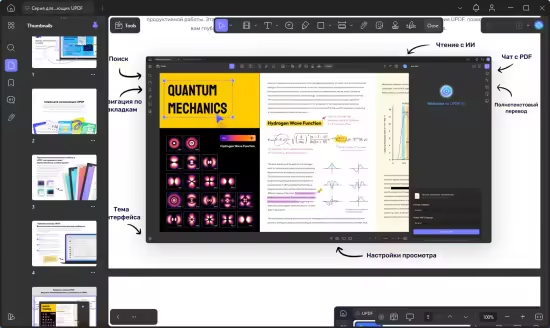
📄 UPDF 2.5.10 Portable – PDF Editing & Document Management Utility
UPDF 2.5.10 Portable is a Windows PDF management application designed for editing, annotating, organizing, converting, and reviewing PDF documents. It provides a centralized workspace for handling different types of PDF-related tasks.
✏️ PDF Editing
UPDF allows users to edit supported PDF content, including text, images, links, and other document elements. This provides a practical way to make changes without rebuilding a document from scratch.
📝 PDF Annotation
The application includes tools for highlighting content, adding comments, notes, shapes, stamps, and other markup elements. These features are useful for document review and collaboration.
📄 PDF Organization
Users can manage PDF pages by rearranging, inserting, deleting, rotating, extracting, or combining pages. These tools help keep larger PDF documents structured and organized.
🔄 PDF Conversion
UPDF provides conversion features for moving supported PDF content into other document formats and creating PDFs from compatible files. This can simplify workflows involving editable documents.
🖼️ Image & Text Handling
The software provides controls for working with visual and textual elements within supported PDF files. Users can modify document components while maintaining the overall PDF workflow.
🔍 OCR & Scanned Documents
OCR functionality can help recognize text contained in supported scanned or image-based PDF documents. Recognized content can make documents easier to search, review, and work with.
🔒 PDF Security
UPDF provides document-protection options for supported PDF workflows. Users can apply available security settings when preparing documents for controlled sharing or distribution.
📊 Document Review
Annotation and markup features make the application suitable for reviewing contracts, reports, manuals, study materials, and other documents where comments or visual highlights are needed.
💻 Portable PDF Workspace
The portable edition provides the PDF editing and management environment in a compact package, making it suitable for users who need a dedicated document utility on compatible Windows systems.
📌 File Information
Software: UPDF 2.5.10 Portable.rar
File Size: 237.7 MB
Format: RAR Archive
Category: PDF Editor / Document Management / PDF Utility
Platform: Windows