
AutoHideDesktopIcons v6.66 Portable
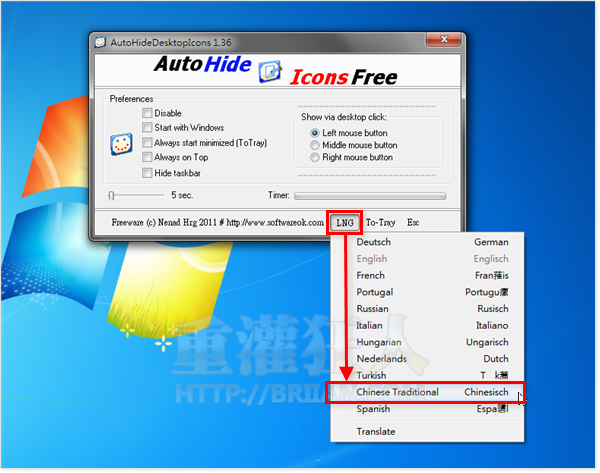
AutoHideDesktopIcons is a clever and highly useful system utility that allows you to automatically hide or show your desktop icons after a specified period of inactivity. This tool is perfect for users who prefer a clean, minimalist desktop environment but still need quick access to their shortcuts, wallpapers, or widgets without manually organizing them.
Features
- Automatic Hide/Show: Automatically hides all your desktop icons after a custom time interval of inactivity and instantly brings them back whenever you click on the desktop, keeping your workspace clutter-free.
- Highly Customizable: Offers extensive settings to define exactly how long the icons should remain visible, including options for mouse movement detection and specific timing preferences to match your workflow.
- Minimal Resource Footprint: Designed to be extremely lightweight, it runs quietly in the background without impacting system performance or consuming significant CPU or RAM.
- Enhanced Visual Clarity: Helps you fully appreciate your high-quality wallpapers or keep your desktop distraction-free while you are working on important tasks or presenting.
- Safe and Simple: It does not alter your system files or modify your desktop configuration permanently; it simply manages the visibility of the icons while the program is running.
- Portable Efficiency: This portable version can be run directly from any folder or USB drive, allowing you to easily maintain a clean desktop experience across any Windows system without requiring a formal installation.
Download AutoHideDesktopIcons v6.66 Portable
Filespayout – 11.3 MB